
Overview
Advanced Power BI Case Study Overview
In this course, you’ll learn advanced techniques for Power BI that will help you create sleek and professional dashboards from start to finish.
Over this course, you’ll be applying these techniques directly to several different retail data sets. First, with a set of existing dashboards which you’ll then enhance with better visuals and an improved user experience. You’ll then dive into Power Query; after reviewing the standard method for combining files in a folder, you’ll use those elements to create an advanced combine from a blank query. From there, you will continue with some exploration of dynamic elements in visuals, such as user-controlled legends, colors, axes, and levels of hierarchy. You will also be working with a financial statement Power BI report, which you’ll enhance with artificial intelligence as a way to get deeper insights from the data more quickly. And finally, we’ll look at three ways to integrate Python into Power BI to extend its capabilities.
By the end of this course, you’ll be extremely comfortable executing complex tasks in Power BI. You’ll have a deeper understanding of the more advanced aspects of this powerful tool, which you can use to build world-class dashboards more efficiently and with greater flexibility.
![]()
![]()
Who Should Take This BIDA™ Course?
This course is perfect for anyone who would like to take their Power BI and DAX skills to the next level by exploring practical business cases. There is no better way to kick-start a career in data analysis, quantitative analysis, business intelligence, or other areas of finance with applied, practical knowledge of Power BI and related BI tools.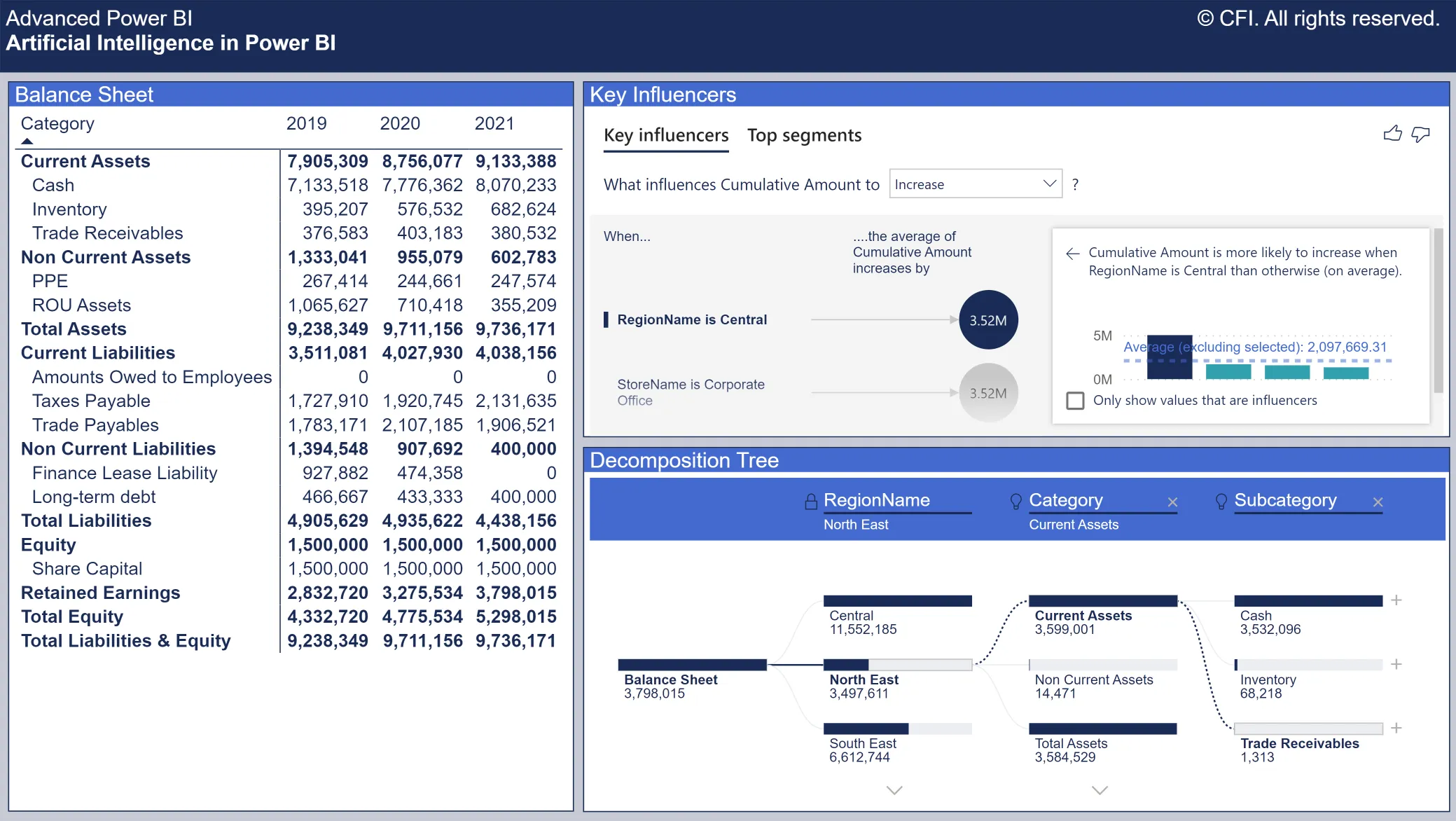
Advanced Power BI Learning Objectives
- Produce advanced visuals that better communicate a message
- Develop a sleek, modern user experience around visuals
- Create advanced queries using custom functions, list functions, and complex columns
- Add dynamic elements to report visuals that are user-controlled
- Enhance reports with artificial intelligence functionality
- Extend Power BI functionality with Python
Advanced Power BI

Led by
Joseph Yeates
Level 4
9h
100% online and self-paced
Field of Study: Finance
Start LearningWhat You'll Learn
Lesson
Multimedia
Exams
Files
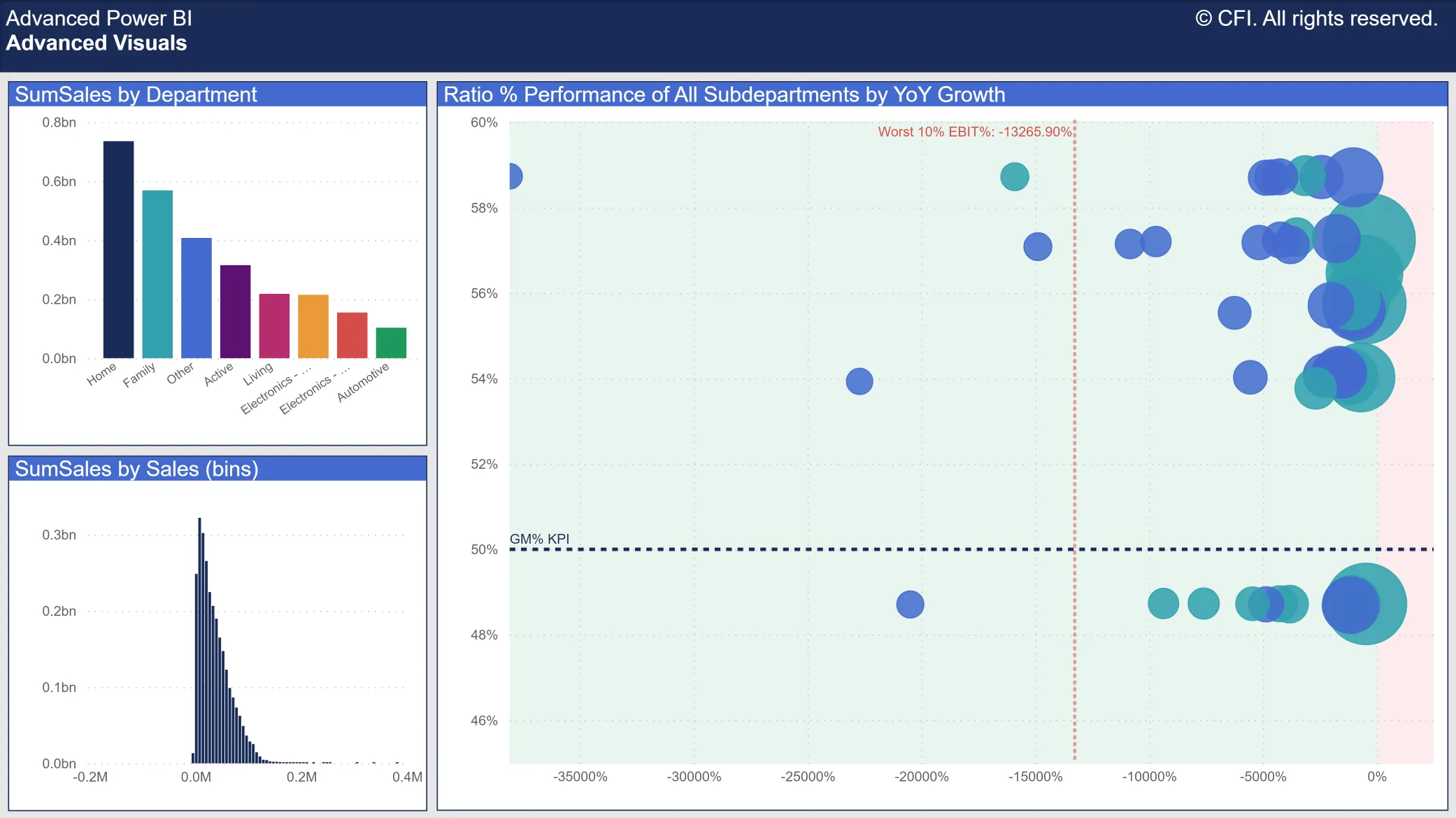
Advanced Visuals
Chapter Introduction - Advanced Visuals
Free Preview
Group Categorical Data for Visualization
Free Preview
Bin Numeric Data for Analysis
Free Preview
Create Visual Formatting with Formulas
Free Preview
Add Dynamic Titles to Visuals
Explore the Analytics Pane
Create a Custom Tooltip Report Page
Build & Format a Custom Tooltip
Link a Custom Tooltip to a Visual & Measure
Create a Custom Visual with Charticulator
Chapter Review - Advanced Visuals
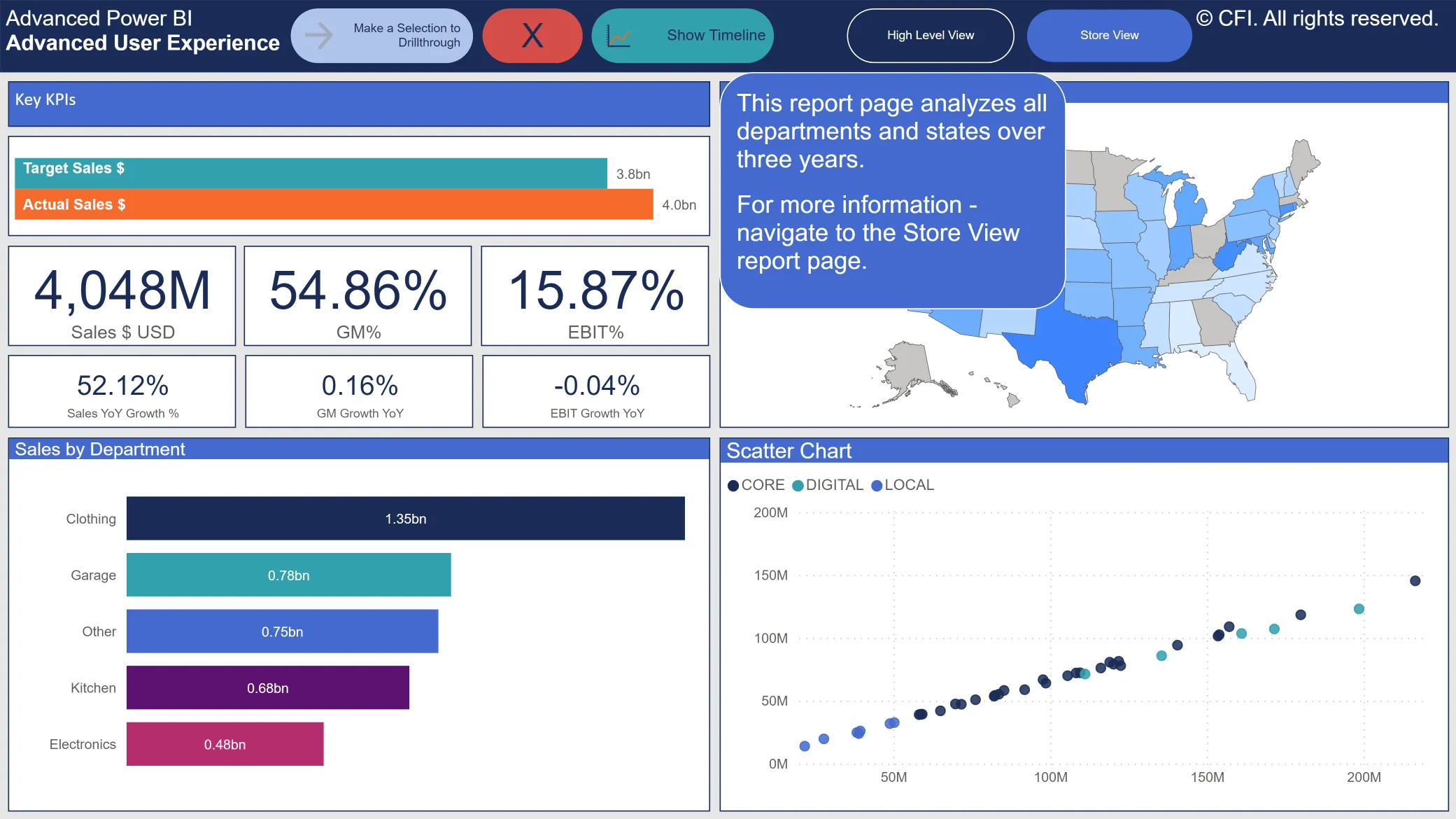
Advanced User Experience (UX)
Chapter Introduction - Advanced User Experience
Create Report Drillthrough
Apply Filters to Report Drillthrough
Create and Format Buttons
Configure Buttons with Actions
Create Report Page Bookmarks
Configure Bookmarks - Data & Display
Configure Bookmarks - Selection Pane & Current Page
Configure Bookmarks - Selected Visuals
Build a Bookmark Slideshow
Assign Bookmarks to Buttons
Assign Drillthrough to Buttons
Advanced User Experience Use Case
Chapter Exercise - Create a State Analysis
Chapter Exercise Review - Create a State Analysis
Chapter Review - Advanced User Experience
Course Check-in
Advanced Power Query
Chapter Introduction - Advanced Power Query
Review Combine Files from Folder
Review Combine Files from Folder Detail
Review Combine Files from Folder in Power BI
Build Combine Files from Folder
Custom Combine Files from Folder
Rebuild Combine Files from Folder
Running Totals & Grouped Indexes
Create a Grouped Index
Create a Running Total
Create a Running Total within a Grouped Index
Chapter Review - Advanced Power Query
Advanced Data Modeling & DAX
Chapter Introduction - Advanced Data Modeling & DAX
Build Dynamic Elements in Visuals
DAX Functions for Advanced Data Modeling
Build the Visual Dimension
Create the Visual Measure with CROSSFILTER()
Build a Multi-Relationship Visual Dimension
Create the Visual Measure with USERELATIONSHIP()
Build a Dynamic Disconnected Visual Dimension
Create the Visual Measure with CONTAINSSTRING()
Build Visuals with Other Dynamic Elements
Create Dynamic Date Hierarchy Drill
Create Dynamic Metric Selection
Advanced Data Modeling & DAX Use Case
Create the Filter Dimension in Power Query
Relate the Filter Dimension in the Data Model
Create the Category - Filter DAX Measures
Update the Report Visuals
Chapter Exercise - Update the Scatter Chart
Chapter Exercise Review - Update the Scatter Chart
Chapter Review - Advanced Data Modeling & DAX
Course Check-In
Artificial Intelligence in Power BI
Chapter Introduction - Artificial Intelligence in Power BI
Generate a Summary with a Smart Narrative
Create a Q&A Visual
Configure the Q&A Visual
Analyze to Explain the Increase or Decrease
Identify the Key Influencers of the Balance Sheet
Examine the Balance Sheet with a Decomposition Tree
Detect Anomalies in the Current Ratio
Forecast Future Values of the Quick Ratio
Generate Insights in Power BI Service
Chapter Review - Artificial Intelligence in Power BI
Python Integration in Power BI
Chapter Introduction - Python Integration in Power BI
Download & Connect Python to Power BI
Create Data with a Python Script
Import External Data with Python
Run a Python Script in Power Query
Create a Visual with Matplotlib
Machine Learning with Python in Power BI
Load & Inspect the Iris Dataset
Reshape Iris to a DataFrame
Build a Classification Model
Update the Classification Model in Power Query
Visualize Classification Model with a Decision Tree
Chapter Review - Python Integration in Power BI
Course Summary
Qualified Assessment
This Course is Part of the Following Programs
Why stop here? Expand your skills and show your expertise with the professional certifications, specializations, and CPE credits you’re already on your way to earning.
Business Essentials Certificate
- Skills Learned Microsoft Excel, Word, PowerPoint, Business Communication, Data Visualization, Ethics
- Career Prep Sales Skills, People Management Skills, Relationship Management Skills, Business Analysis Skills
Business Intelligence Analyst Specialization
- Skills learned Data Transformation & Automation, Data Visualization, Coding, Data Modeling
- Career prep Data Analyst, Business Intelligence Specialist, Finance Analyst, Data Scientist
What Our Members Say
Great
It will be an added plus value to all whom are interested. Mohammad H Malkawi
Great Experience
Great content video and the instructor was excellent as always Scott LaBrec
Power BI is really Beautiful
The section on Artificial Intelligence and Power BI blew my mind and Honestly I came to the conclusion that to fully master Power BI would take time and a whole lot of practice. Olashina Ayeni
Very recommended optional course
Don´t miss this course MATHIUS SERSEN
Frequently Asked Questions
If you haven’t found your answer from our FAQ, please send us a message.
If you haven’t found your answer from our FAQ, please send us a message.