Overview
Introduction to Power Query Overview
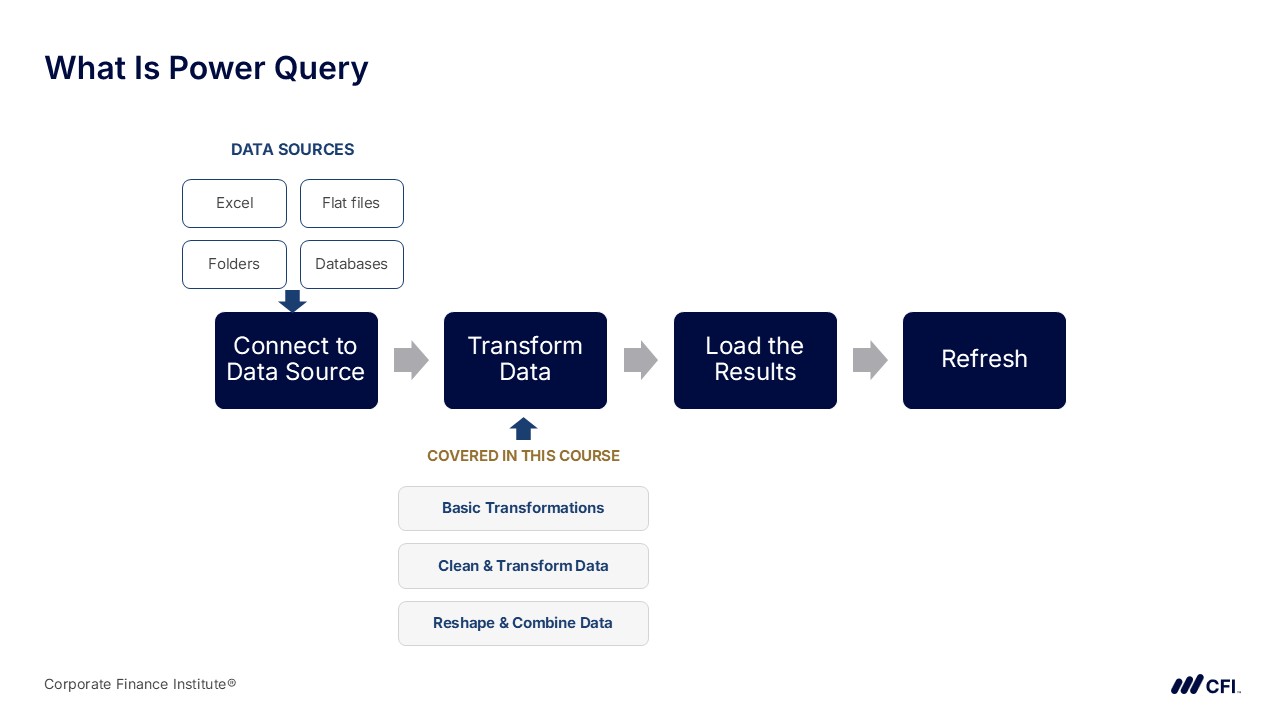
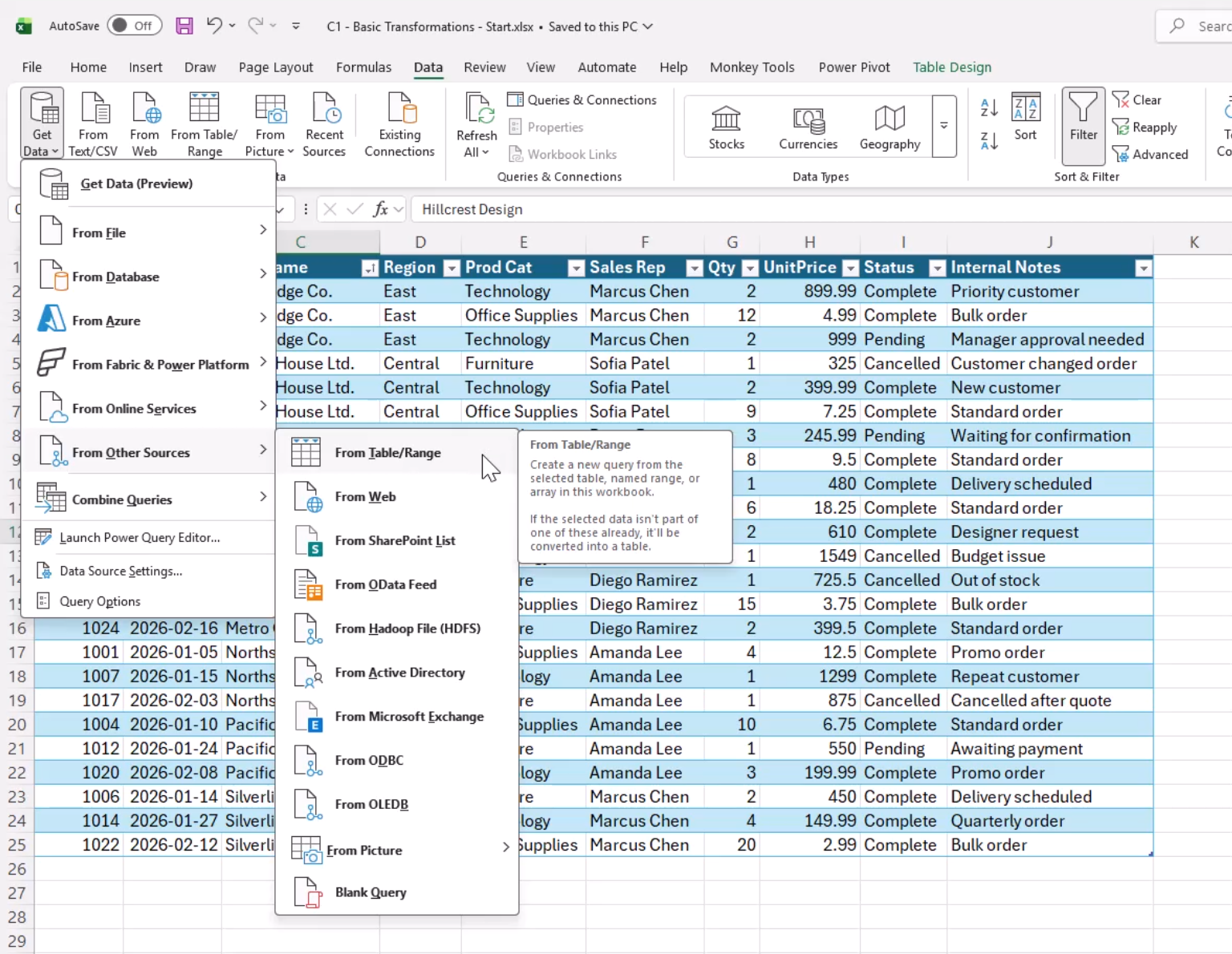
Power Query is one of the most important tools for preparing data in Excel, Power BI, and other Microsoft analytics products. This course provides a practical foundation for using Power Query in an analyst-friendly way. The focus is on building clean, repeatable workflows: connecting to source data, applying transformation steps, cleaning common data issues, reshaping tables for analysis, and loading results back into Excel. Along the way, the course emphasizes how Power Query records each step so that messy manual processes can become structured, refreshable workflows. Throughout, you’ll work with real sample data and short exercises that reinforce each concept so you can apply core Power Query patterns immediately in day-to-day work.
Who should take this course?
This course is for beginners who want to learn Power Query from scratch, and for Excel/Power BI users who want a practical foundation for cleaning and transforming data. It’s also useful for analysts and finance professionals who spend time manually preparing reports and want to build cleaner, more repeatable workflows.
Software Requirements
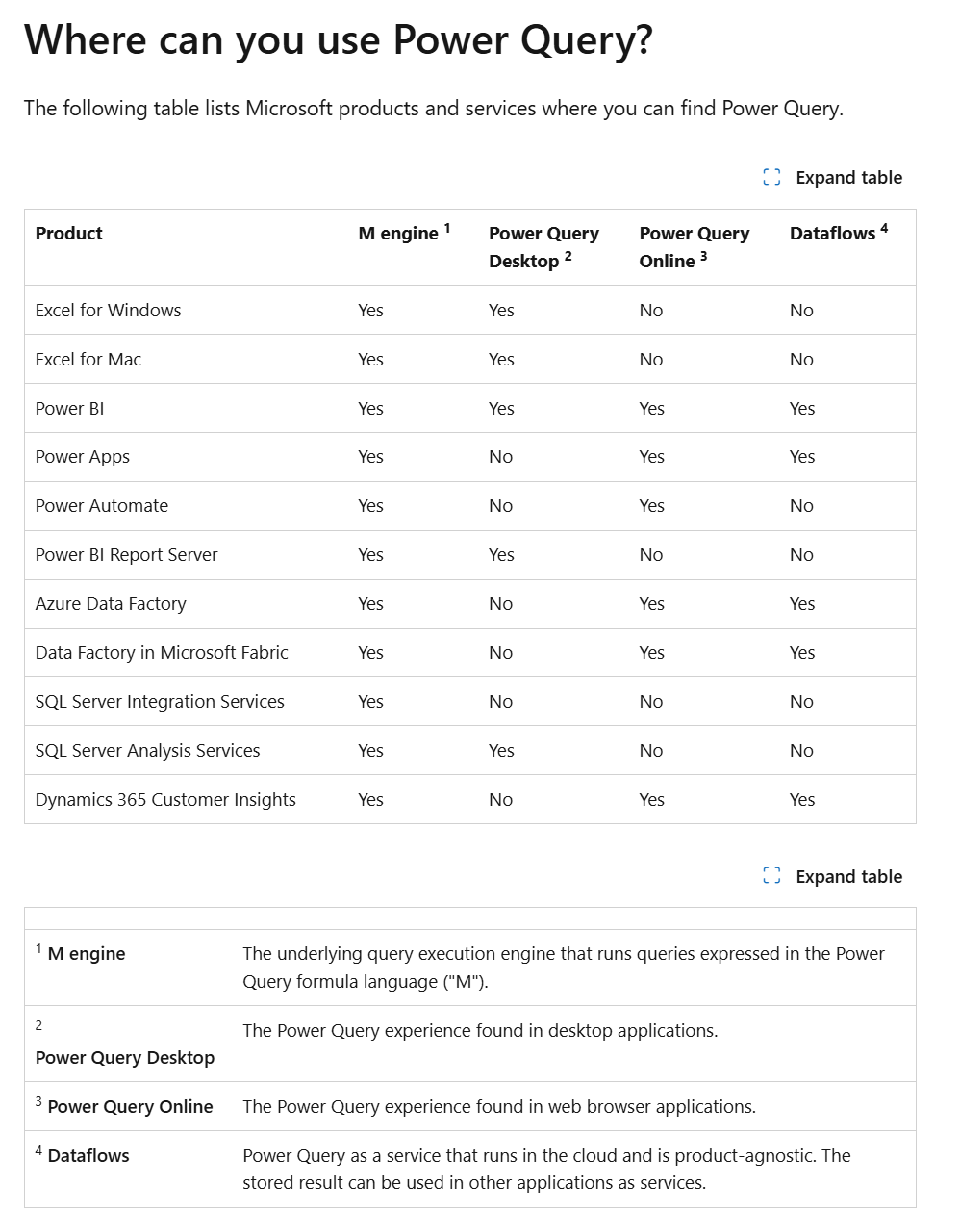
Power Query is available in Microsoft Excel for Windows, Excel for Mac, and Microsoft Power BI. However, available features may vary depending on the product, platform, and version you are using.
Before beginning the course, confirm that Power Query is available in your software by reviewing Microsoft’s guide:
https://learn.microsoft.com/en-us/power-query/power-query-what-is-power-query#where-can-you-use-power-query
Introduction to Power Query Learning Objectives
By the end of this course, you will be able to:
- Connect to common data sources and import data into Excel with Power Query
- Clean and standardize raw data using common UI-based transformations
- Reshape tables for analysis with grouping, pivoting, and unpivoting
- Combine datasets using append and merge workflows
- Organize repeatable query workflows and explore how Power Query fits within Excel and Power BI
Prerequisite Skills
Recommended skills to have before taking this course.
- Excel

Level 3
5h
100% online and self-paced
Start LearningWhat You'll Learn
Basic Transformations
Cleaning and Transforming Data
Building Repeatable Workflows
Course Wrap-Up
Qualified Assessment
This Course is Part of the Following Programs
Why stop here? Expand your skills and show your expertise with the professional certifications, specializations, and CPE credits you’re already on your way to earning.
Business Essentials Certificate
- Skills Learned Microsoft Excel, Word, PowerPoint, Business Communication, Data Visualization, Ethics
- Career Prep Sales Skills, People Management Skills, Relationship Management Skills, Business Analysis Skills
Data Analysis in Excel Specialization
- Skills Learned Data Modelling & Analysis, Data Transformation, Data Visualization
- Career Prep Data Analyst, Business Intelligence Specialist, Data Scientist, Finance Analyst
Business Intelligence Analyst Specialization
- Skills learned Data Transformation & Automation, Data Visualization, Coding, Data Modeling
- Career prep Data Analyst, Business Intelligence Specialist, Finance Analyst, Data Scientist
Financial Planning & Analysis Professional
- Skills You’ll Gain Accounting, Finance, Excel, Data Analysis, Financial Statement Analysis, Financial Modeling, Budgeting, Forecasting, Power Query, Power BI, Data Visualization, Economics, and more
- Great For The FPAP certification focuses on practical, desk-ready skills that are immediately applicable to current FP&A professionals or anyone seeking to land a role in FP&A